Internal Tool — PS Engineering

VAST Data asbuilt-reporter v1.5.0

Generate customer-ready as-built reports in minutes — not hours.

No Python. No terminal. Just download, connect, and go.
The Manual As-Built Problem

Every deployment ends the same way — hours spent copy-pasting configuration into documents that still miss critical details.

Hours Per Cluster

Manual documentation eats into deployment time and delays customer handoff.

Inconsistent Deliverables

Every SE formats reports differently — no standard, no repeatability.

Missing Details

Critical configuration items get overlooked when collected by hand.

Why Installers Love It

Purpose-built for the field — from first rack-up to customer handoff.

0%

Time Savings

Automated data collection from the VAST REST API. A full cluster report generates in under 5 minutes — compared to hours of manual work.

Customer-Ready Output

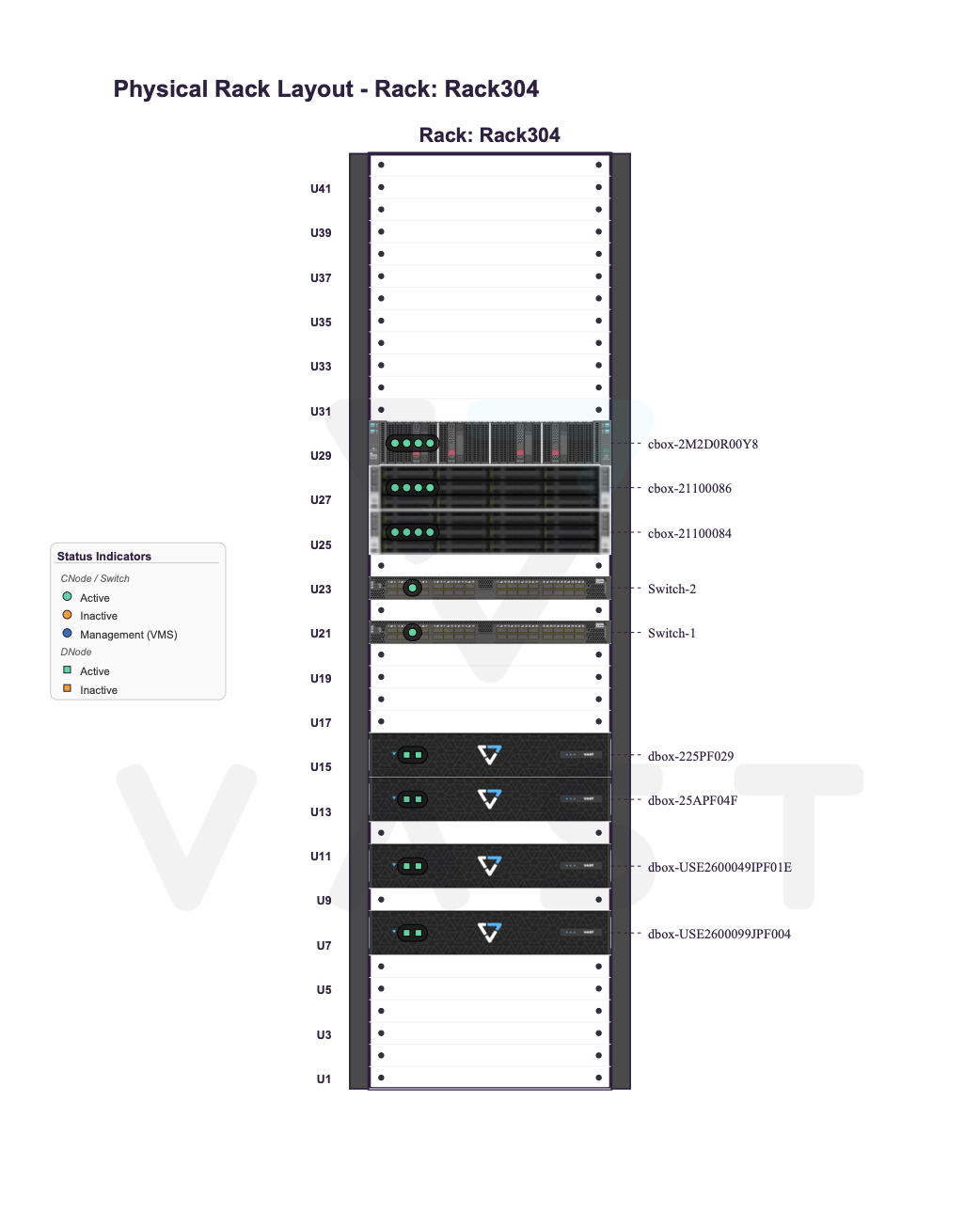
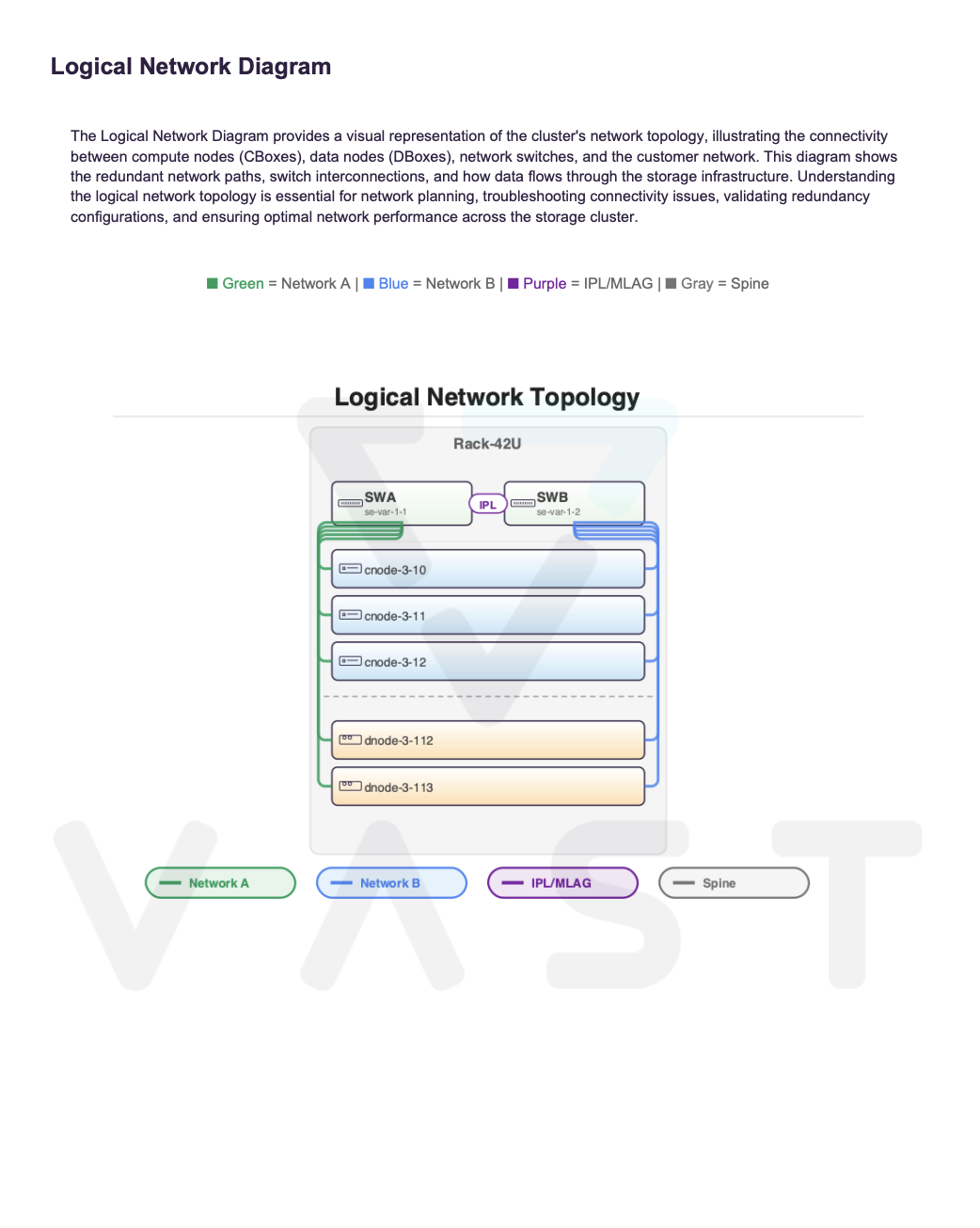
VAST-branded PDF with executive summary, 42U rack diagrams, network topology, and health results. Plus machine-readable JSON for CMDB or scripted workflows.

Field-Ready Design

SSH proxy hop for unreachable switches, Tech Port mode, graceful degradation when data is partial. Works on macOS and Windows — no Python install needed.

One-Click Health Checks

32 automated checks (26 API + 6 switch SSH) with remediation guidance. Include results directly in the PDF or export standalone for follow-up.

A Modern Interface, Built for the Field

Browser-based UI launches locally — no server required. Live progress, cancel anytime, save connection profiles.

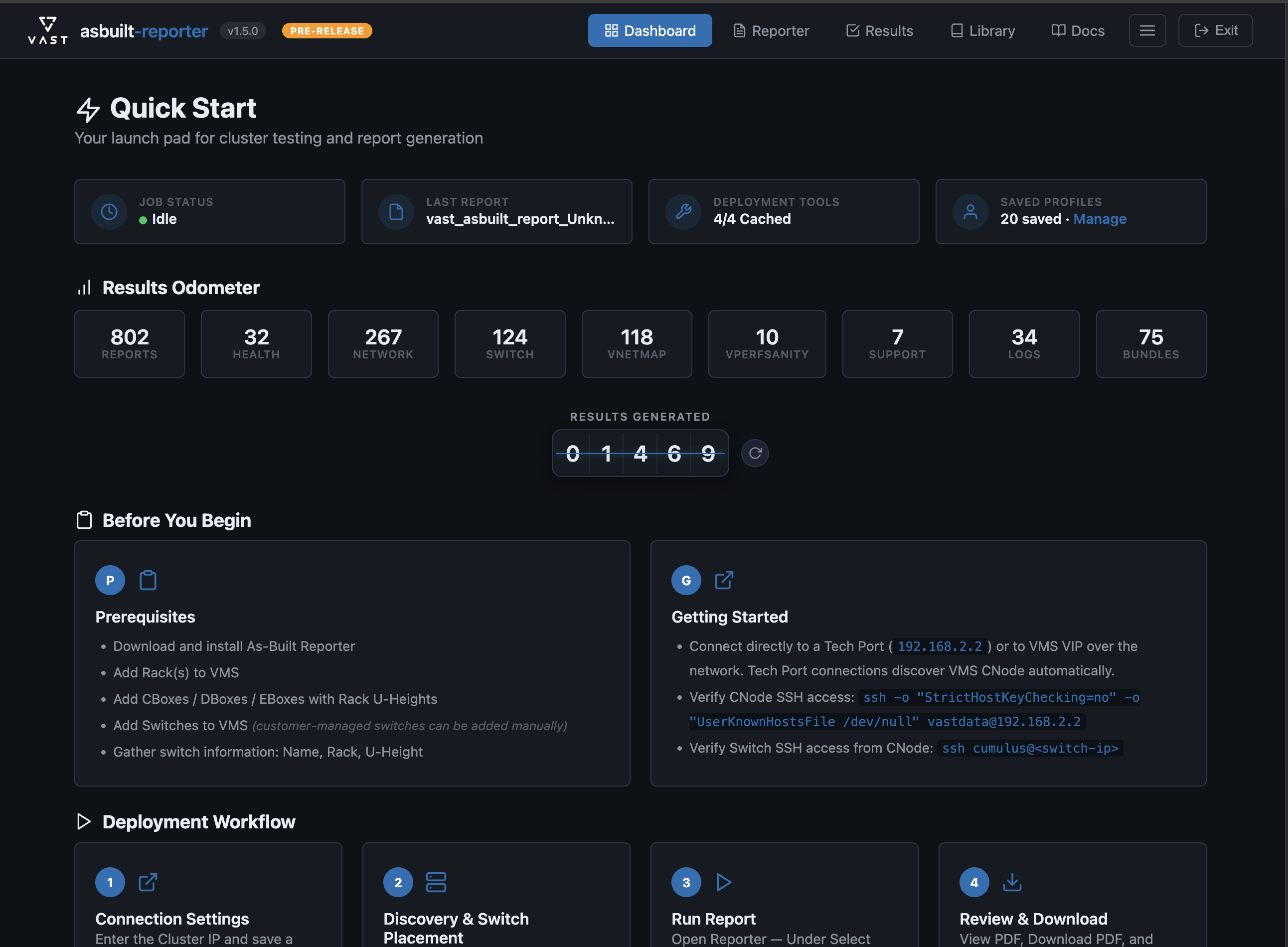
Dashboard — Quick Start tiles, Results Odometer, and workflow cards

Dashboard

Quick Start tiles, Results Odometer with animated counters, and guided workflow cards.

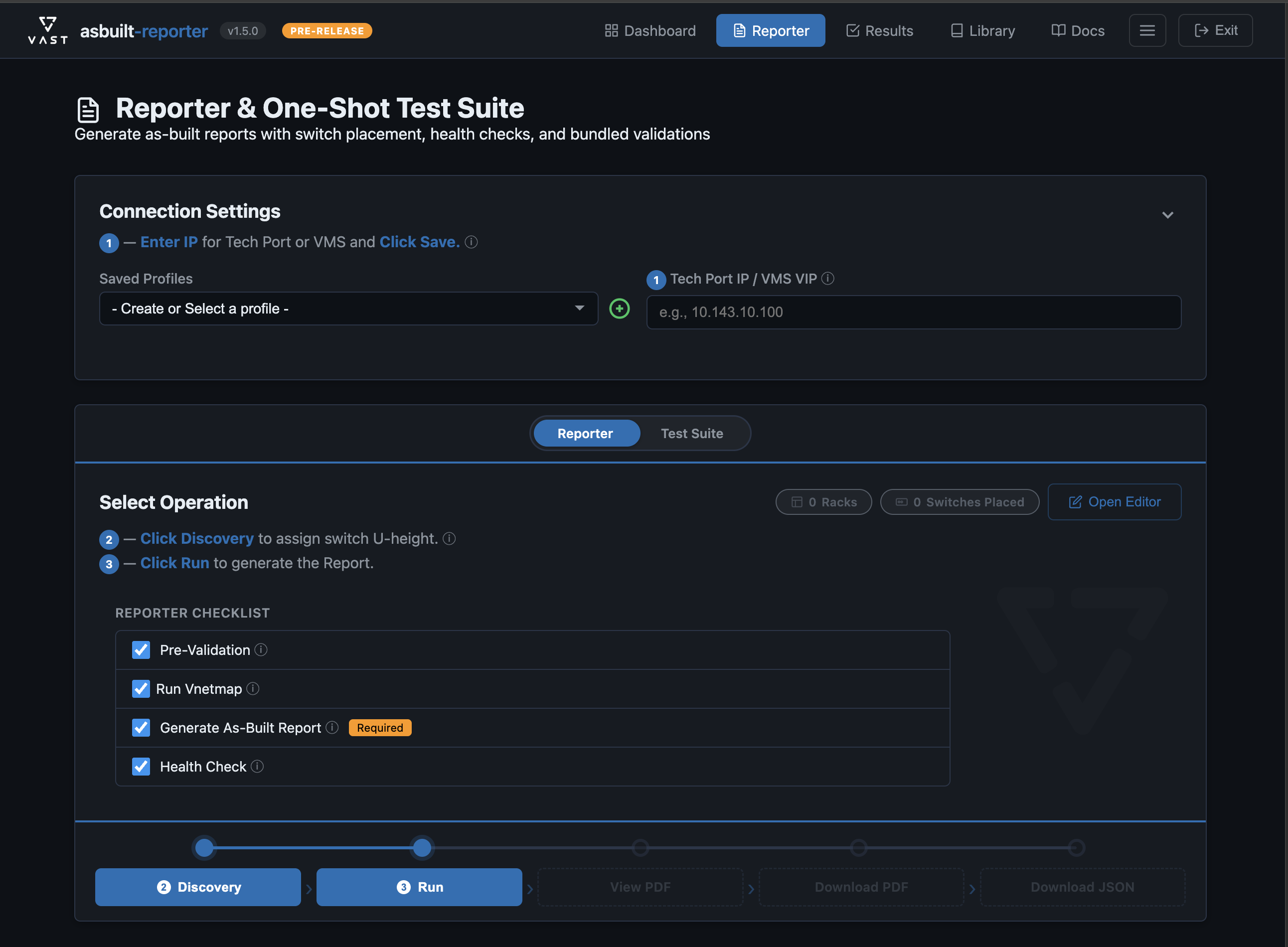
Reporter — Connection settings, discovery, switch placement, and report generation

Reporter

Unified 5-step workflow: Discover, Place Switches, Generate Report, Health Check, Download.

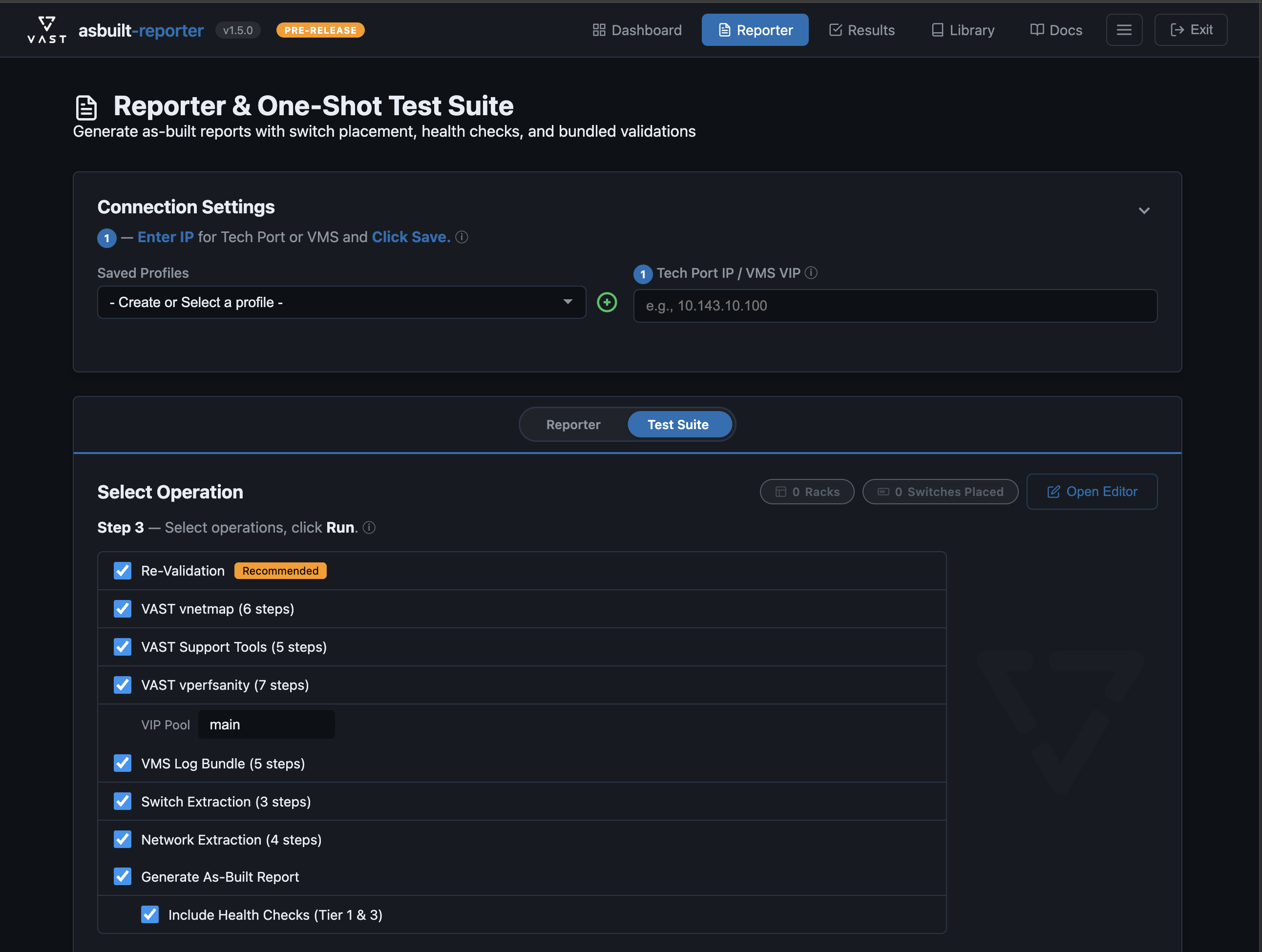
Test Suite — Automated post-deployment validation and testing

Post-Deployment Test Suite

Automate all post-deployment validation in a single pass — VNetMap, VPerf Sanity, support tools, log bundles, switch and network config backups. Run individually or execute the full suite with one click.

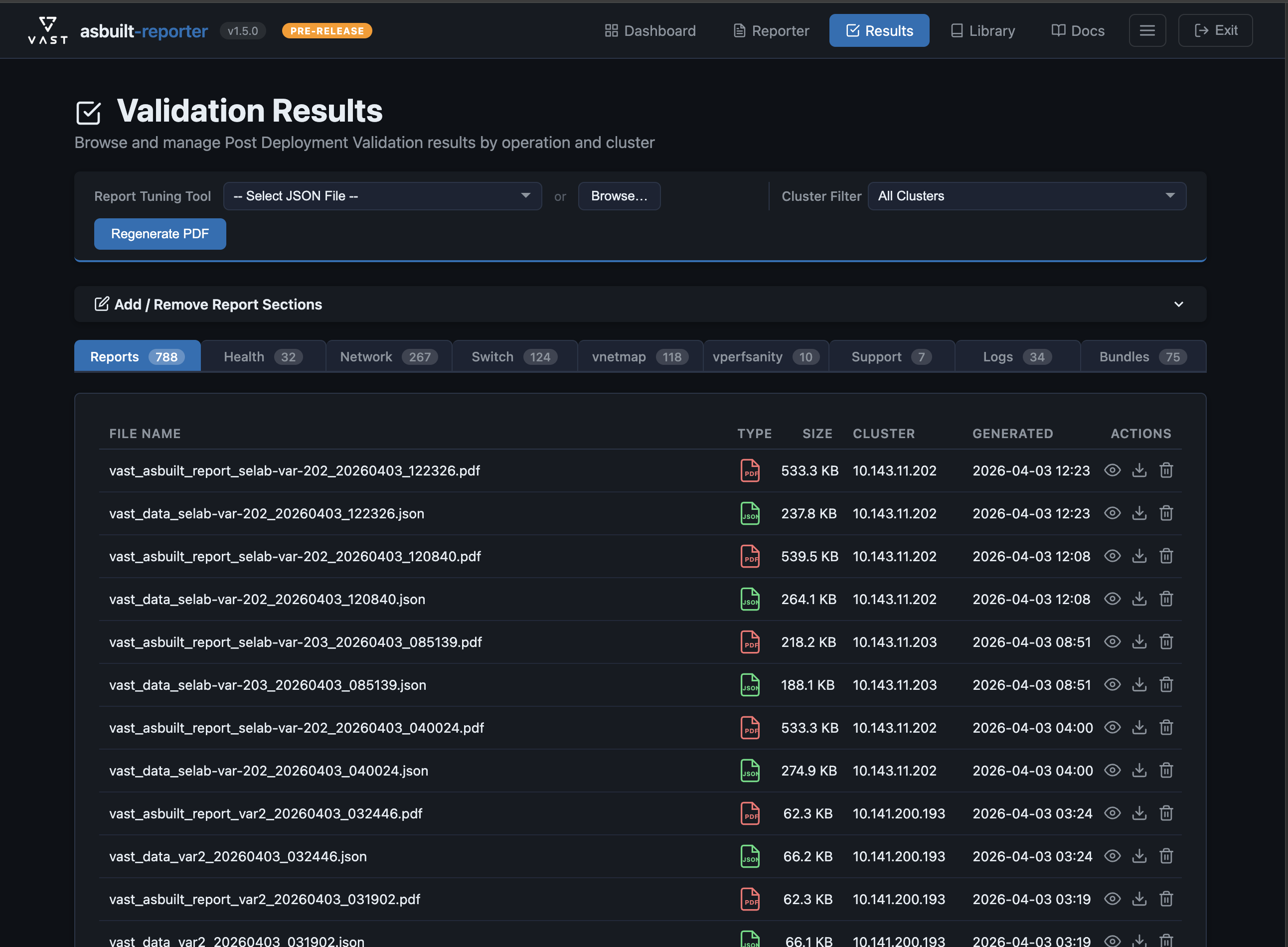
Validation Results — Tabbed view of reports, health checks, and bundles

Validation Results

Browse all outputs by operation type — reports, health checks, network maps, and bundles.

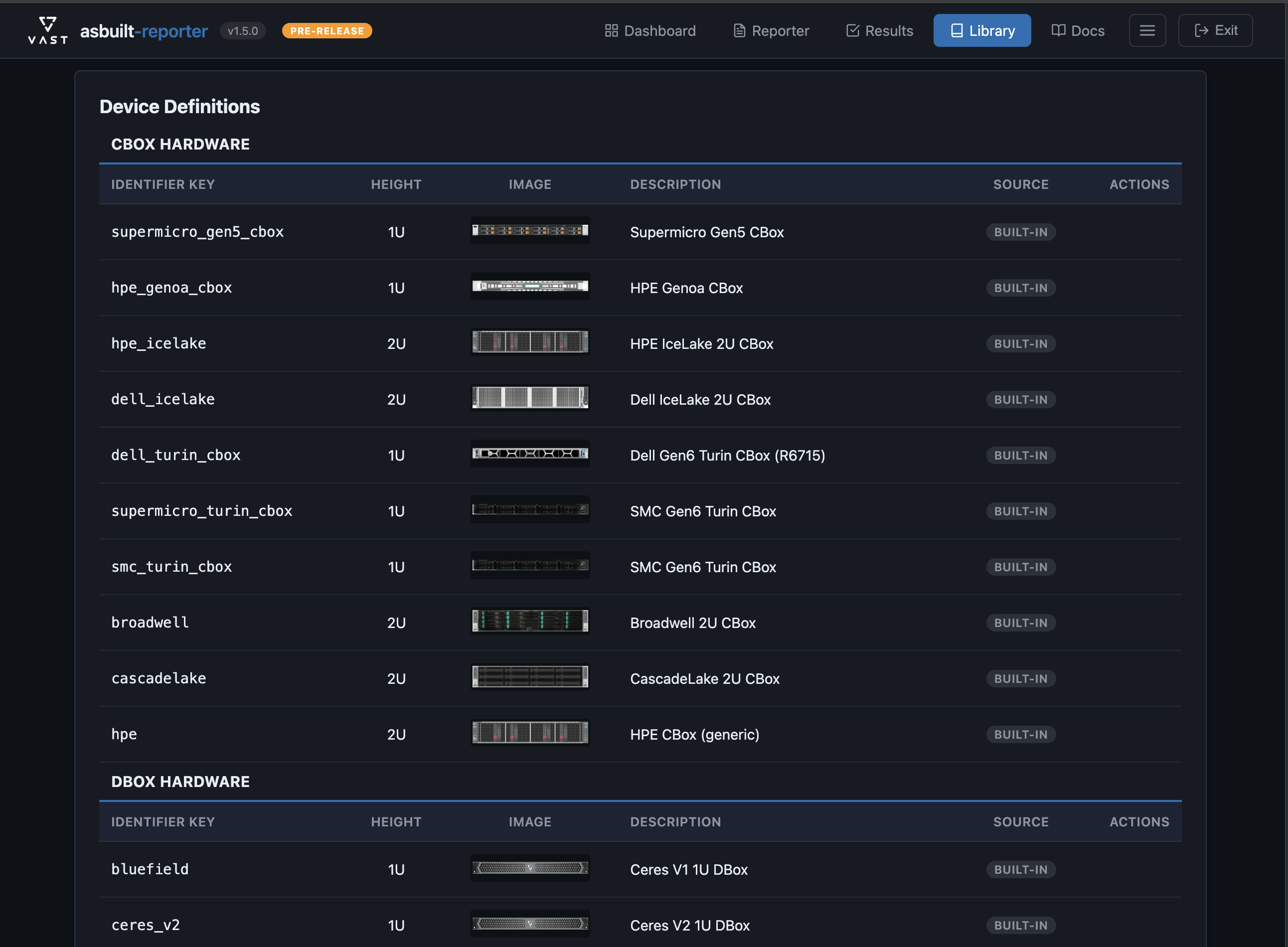
Hardware Library — Device catalog with images for rack diagrams

Hardware Library

Device catalog with custom images for accurate rack diagrams. Add new hardware as it ships.

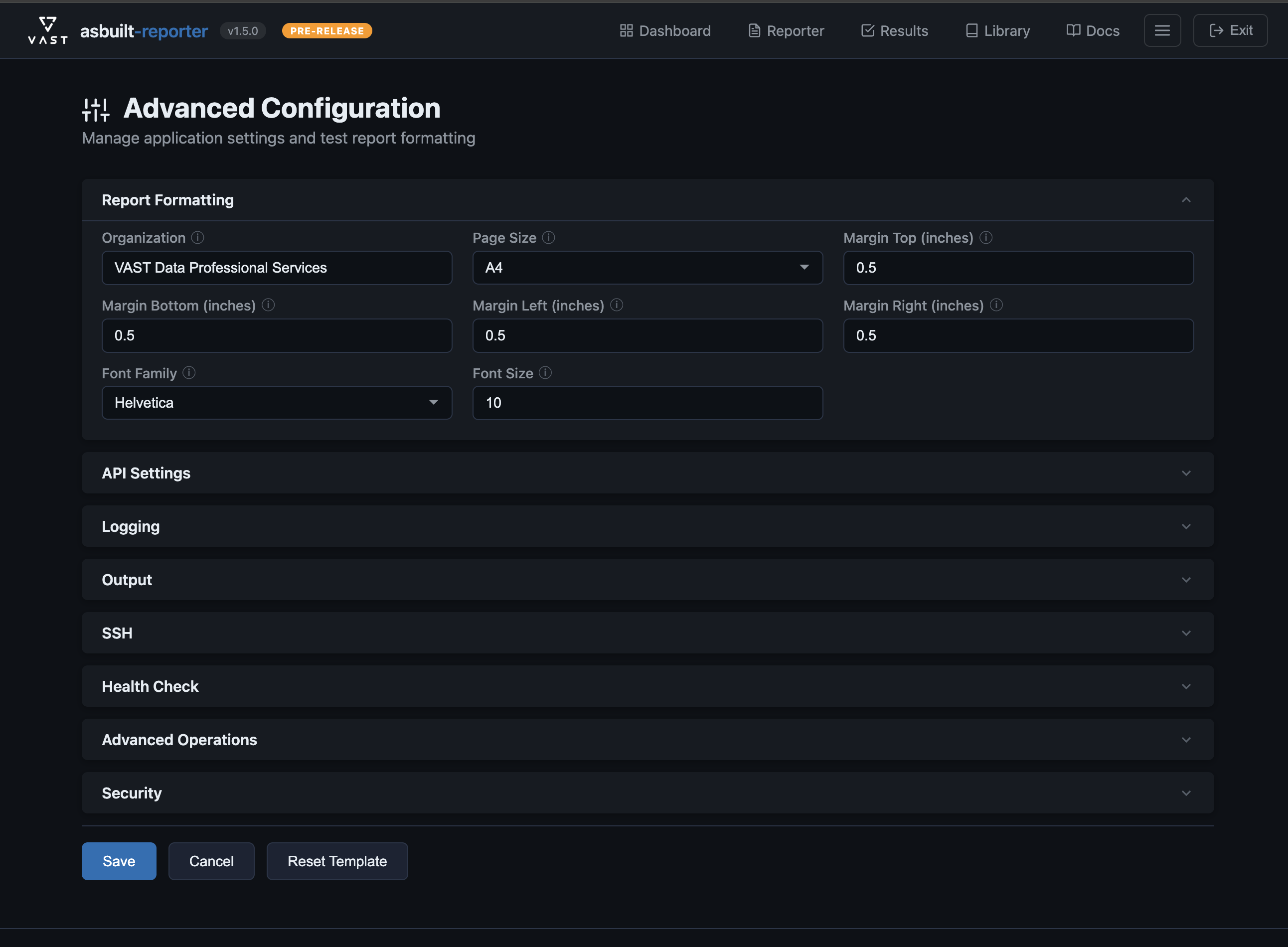
Advanced Configuration — Fine-tune report settings and output formatting

Advanced Configuration

Fine-tune report formatting, data collection scope, and output settings without editing YAML.

Professional Reports, Automatically

Every report follows the same VAST-branded template — consistent, thorough, and customer-ready.

VAST As-Built Report

cluster-prod-east-01 — Acme Corp

42U Rack Diagram Logical Network Topology
PDF JSON

What's Inside

  • Executive Summary
  • Hardware Inventory & Capacity
  • Physical Rack Layout (42U diagrams)
  • Network Configuration
  • Switch Configuration & Port Summary
  • Port Mapping & Logical Topology
  • Logical Configuration (Tenants / Views)
  • Security & Authentication
  • Cluster Health Check Results
  • Post-Deployment Activities
PDF + JSON — Regenerate reports from saved JSON without reconnecting to the cluster. Tune formatting, override fields, and re-render anytime.

Get Started in 3 Steps

From zero to a finished as-built report in under 10 minutes.

1

Download

Grab the latest release from GitHub:
macOS.dmg
Windows.zip

GitHub Releases

2

Launch

macOS: Drag to Applications, right-click → Open on first launch (Gatekeeper).

Windows: Extract ZIP, run vast-reporter.exe (SmartScreen: More info → Run anyway).

Your browser opens automatically at localhost:5173.

3

Connect & Generate

Enter the cluster IP and credentials, run discovery, place switches, and hit Generate. Your report downloads as PDF + JSON.

Optional: enable SSH port mapping and health checks for deeper coverage.

Need help? See the full Quick Start Guide or reach out on #ps-tools in Slack.

Start generating professional as-built reports today.

Every deployment deserves consistent, thorough documentation. Let the tool do the heavy lifting so you can focus on the customer.